
Improve an agent with feedback
Rate agent work and review suggested improvements before anything changes.
Rate the work you reviewed
Use the feedback controls on a completed run or chat reply. When something went wrong, choose the closest reason and add a short note that explains the expected result.
What recommendations can appear
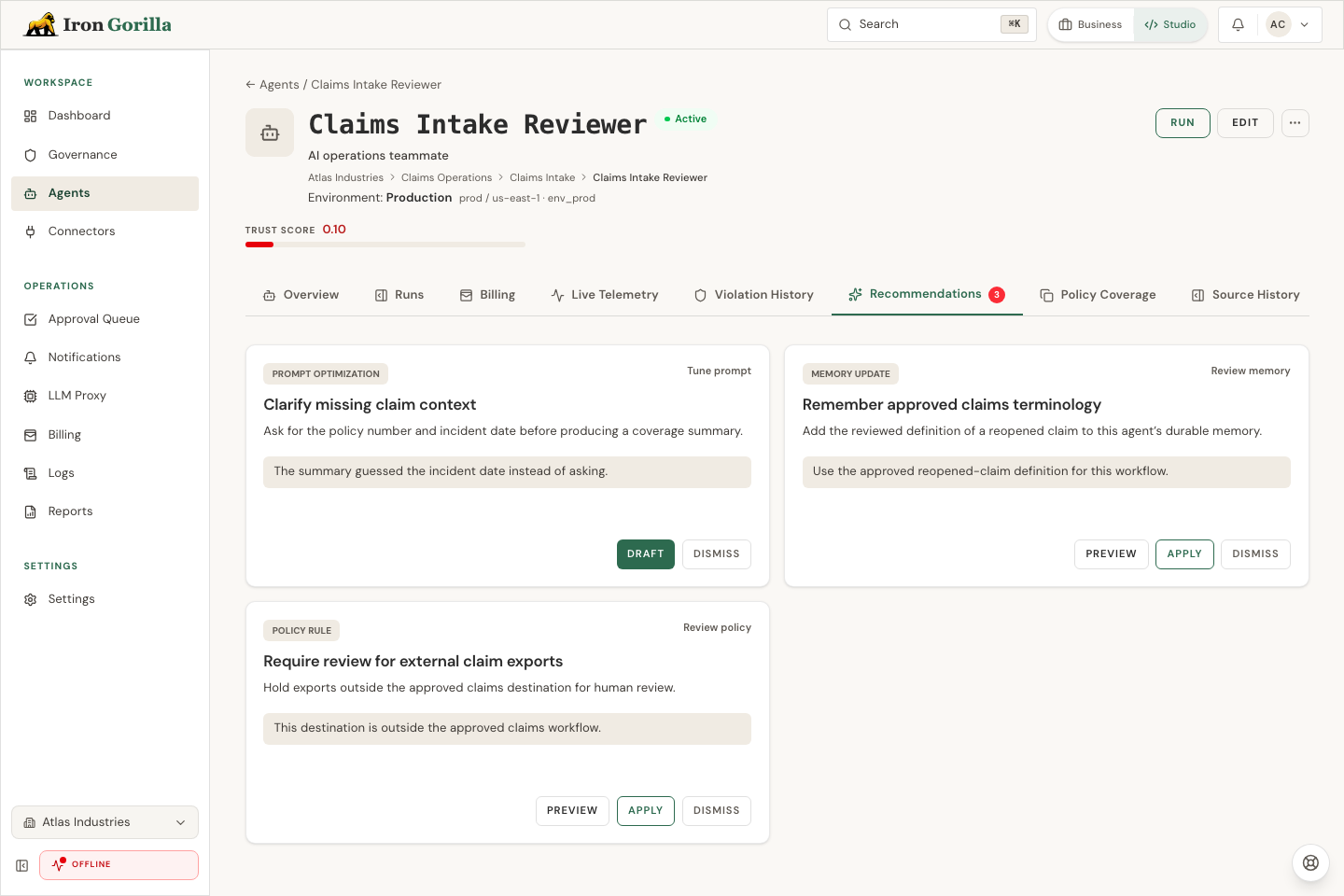
Iron Gorilla groups recent feedback and proposes the smallest useful response. Open Recommendations from the agent page to inspect the evidence behind each suggestion.
- Prompt optimization — clarify instructions, expected output, or boundaries. Continue in Agent Builder as a draft.
- Agent code optimization — improve agent source when feedback points to slow or inefficient behavior. Continue in Agent Builder as a draft.
- Policy rule — add or tighten a runtime boundary when the reviewed behavior was unsafe.
- Memory update — add durable context when the agent repeatedly lacked information it should remember.
- Behavior suppression — stop a repeated response or action pattern that reviewers do not want.
- Trust score — adjust oversight when the evidence changes how much autonomy the agent has earned.
Feedback can affect trust and recommendations, but it does not silently rewrite a deployed agent.
Build a review rhythm
For an active agent, review open recommendations weekly and after a concentrated feedback event, workflow change, or safety concern. Recommendations use recent evidence, so repeated issues and new patterns deserve attention before isolated older feedback.
Start with unsafe behavior, then repeated wrong or missing-context results, then speed and style improvements. Read the examples and target references before deciding; a recommendation is evidence to review, not an instruction to accept.
Apply, draft, or dismiss
- Apply when the evidence is repeated, current, and unambiguous; the proposed policy, memory, or trust change is narrowly scoped; and its preview matches the intended behavior.
- Draft when the recommendation changes prompt or source. Review and validate the Agent Builder draft, then use the normal deployment process.
- Dismiss when the issue was a one-off, is outdated, conflicts with expected behavior, came from bad source data or a broken connector, or proposes a broader change than the evidence supports.